
How to connect your WinOLS database to our EVC WinOLS Reseller Database
Last updated: 6 February 2026 | By: Dyno-ChiptuningFiles.com | Read time: 3 minutes
Learn how to connect your WinOLS database to our EVC WinOLS Reseller Database
In this article
NB:
Purchasing a new Winols 5 is only possible if your data or email address are NOT registered with evc.de.
Check our WinOLS5 page.
Team Dyno-Chiptuningfiles.com
Team Dyno-Chiptuningfiles.com
Buying high quality tuning files has never been easier! Just connect your WinOLS database to our EVC WinOLS reseller database with the following instructions:
Connect your WinOLS database with our database in the following steps:
- Search your WinOLS/customer number:
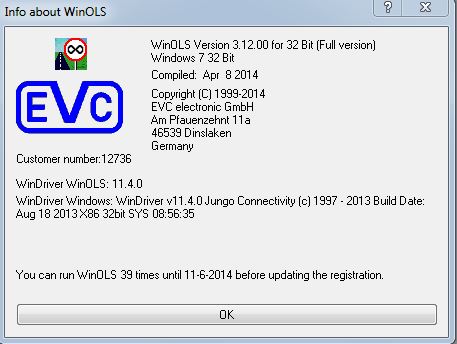
- Go to www.dyno-chiptuningfiles.com log in and go to edit account and fill in your WinOLS/customer number.
- Go back to your WinOLS and go to miscellaneous > and select updates + registration, your WinOLS has now a new client path
- Check your client path:

- You can select Reseller-DCF and you can see all our projects. When you drop a file in the WinOLS and you push ctrl+alt+o search similar you see if DCF-Reseller has the project.
- We have the following content in our database:
- Tuning files
- Limited map pack
- Super map pack
- Add Blue off
- Damos files
- Dpf off
- If you want to download a project, just purchase OLS Credits on our site
If you need any info, please let us know.
Regards,
Dyno-ChiptuningFiles.com