
WinOLS vs ECM Titanium: Which ECU Tuning Software Is Right for You?
If you tune ECU files for a living, two names keep coming up: WinOLS by EVC and ECM Titanium by Alientech. Both are built to read, edit and write engine calibrations, but they solve the job in very different ways. Pick the wrong one for your workflow and you either fight the software or hit a wall the moment a project gets serious. This guide breaks down the real differences: how each finds maps, how they handle checksums and DAMOS files, the learning curve, the price, and which one actually fits the way you work. No hype, just what matters when the file is open in front of you.
In this article
Quick verdict
|
ECM Titanium |
WinOLS
|
|
|---|---|---|
|
Best for |
Fast Stage 1 and Stage 2 remaps |
Stage 3, custom development, deep edits |
|
Map finding |
Automatic (Alientech “drivers”) |
Manual, or assisted with DAMOS/A2L |
|
Learning curve |
Gentle, quick to start |
Steep, needs training and practice |
|
Checksum correction |
Handled via driver packages |
Dynamic recalculation while you edit |
|
DAMOS / A2L support |
Limited |
Full, core to the workflow |
|
Control over the binary |
Guided |
Total |
|
Price |
Lower entry cost |
Higher, plus module and update costs |
Short answer: if you want speed and simplicity, ECM Titanium gets you tuning fast. If you want full control and room to grow into advanced work, WinOLS is the professional standard. Plenty of serious tuners run both, and we explain why below.
What is ECM Titanium?
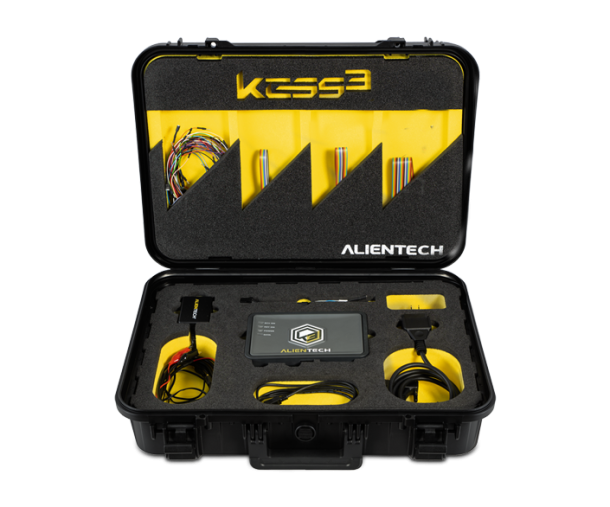
ECM Titanium is Alientech’s calibration software. Its defining feature is the driver: a pre-made map definition that Alientech builds for a specific ECU. Load your file, apply the matching driver, and the software shows you the maps already labelled, torque, boost, injection, EGR, and so on. You adjust the values you need and write the file back.
That automation is the whole point. You spend less time hunting for maps and more time making changes, which is exactly what a busy shop pushing Stage 1 and Stage 2 files wants. The trade-off is that you work inside what the driver exposes. If Alientech has not made a driver for your ECU, or the map you need is not in it, your options narrow.
What is WinOLS?
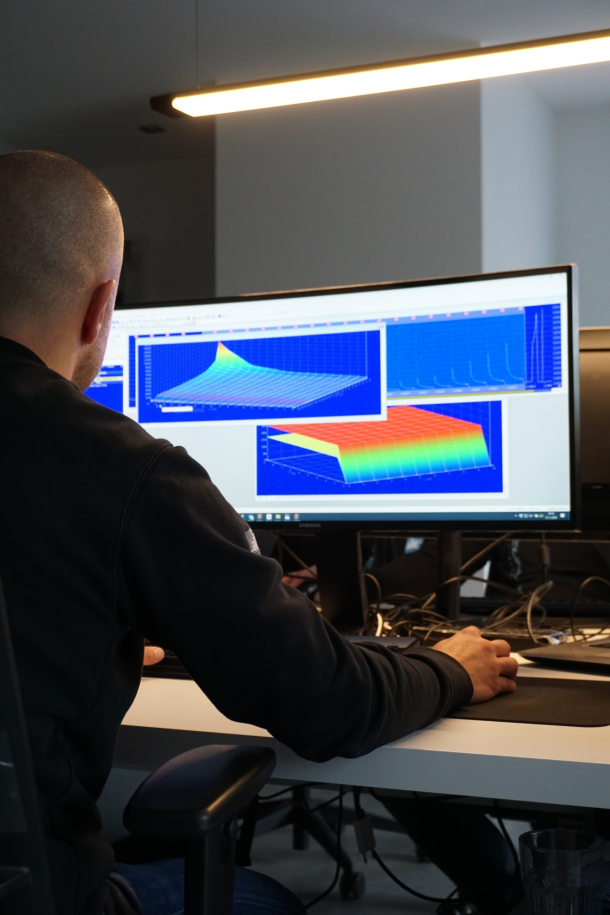
WinOLS is EVC’s professional tuning platform, and it is widely treated as the industry benchmark for serious work. Instead of handing you labelled maps, it gives you the raw binary and a full toolkit to make sense of it: map recognition, a huge searchable project database, DAMOS and A2L import, and dynamic checksum handling.
WinOLS assumes you know what you are looking at, or that you are willing to learn. In return it gives you total control. There is no map it will not let you touch, no edit it locks you out of. This is why Stage 3 builds, hybrid setups and bespoke development almost always end up in WinOLS.
The core difference: finding maps
This is the single biggest split between the two tools.
-
ECM Titanium finds the maps for you. The driver identifies and labels them, and you modify what is already on the table.
-
WinOLS expects you to find the maps yourself, using map recognition, checksums, and DAMOS or A2L definitions to pin down exactly where each parameter lives in the binary.
Neither approach is “better” in the abstract. Automatic map finding is faster and safer for volume remapping. Manual map finding is slower but gives you access to everything, including maps no driver would ever expose. Your choice here really comes down to whether you value speed or depth more in day to day work.
Checksum correction
Every calibration edit changes the file’s checksum, and the ECU will reject a file whose checksum does not match. Both tools correct checksums, but they do it differently.
-
WinOLS recalculates checksums dynamically as you edit, and supports a wide range of ECUs through its checksum points and upgrades. For unusual or newer ECUs, this flexibility matters.
-
ECM Titanium handles checksum correction inside its driver packages, which is seamless when a driver exists for your ECU and a dead end when one does not.
If you regularly work on ECUs that sit outside the mainstream, WinOLS’s approach gives you more room to move.
DAMOS and A2L support
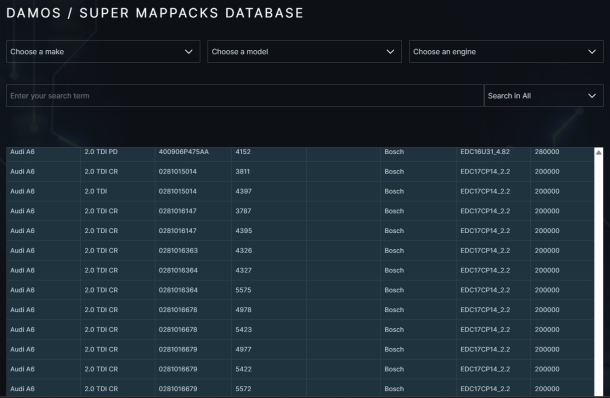
DAMOS and A2L files are manufacturer definition files that describe exactly what every address in an ECU does. For advanced tuning they are gold, because they turn a wall of hex into fully labelled maps.
This is where the two tools diverge sharply. WinOLS is built around DAMOS and A2L support, and using quality DAMOS super map packs inside WinOLS is a standard professional workflow. ECM Titanium leans on its own driver database instead, so DAMOS is far less central to how it works.
If your growth path runs toward deep, definition-driven tuning, DAMOS support alone can decide the question. This is also where having access to a large, verified file and DAMOS library pays off, because the software is only as good as the definitions you feed it.
Learning curve and support
ECM Titanium is designed to get you productive quickly. The driver system hides most of the complexity, so a newer tuner can produce a solid Stage 1 file without deep binary knowledge.
WinOLS is the opposite. The learning curve is steep, and most professionals invest in training and a lot of hours before they are fast in it. That effort buys a ceiling that is far higher. What feels like friction at the start becomes freedom once you know the tool.
Price
Budget is a real factor. ECM Titanium generally has a lower cost of entry, which makes it attractive for tuners getting started or running a lean operation. WinOLS sits at a higher price point, and the full professional setup, including checksum modules and updates, adds to that. You are paying for capability, and whether it is worth it depends on how advanced your work becomes.
Can you use both together?
Yes, and many professionals do. A common workflow is to use ECM Titanium as a fast map-finding tool and then do the serious editing in WinOLS. You get ECM Titanium’s speed at identifying what is where, and WinOLS’s depth and control for the actual changes. If you can justify both licenses, running them side by side is a genuinely effective setup rather than a compromise.
What about Swiftec?
Swiftec often comes up as a third option, especially for specific ECU families where it has strong coverage. It sits somewhere between the two in philosophy: more guided than raw WinOLS, more flexible than a pure driver system on certain platforms. For most tuners the real decision is still WinOLS vs ECM Titanium, with Swiftec as a targeted add-on when a particular ECU calls for it.
Why professionals rely on structured ECU data
Modern ECUs can contain thousands of calibration tables, sensor correction factors, and control algorithms. Navigating this complexity requires not only the right tools but also the knowledge to interpret the data correctly. Damos and A2L files transform what would otherwise be a cryptic binary environment into a structured calibration workspace.
Professional tuners who work with Dyno-ChiptuningFiles benefit from this structured approach. By combining accurate definitions with dyno tested calibrations, Dyno-ChiptuningFiles delivers results that meet the highest standards of reliability, performance, and repeatability.
Which should you choose?
-
Choose ECM Titanium if you mostly do Stage 1 and Stage 2 work, want to be productive fast, prefer guided map finding, and want a lower entry cost.
-
Choose WinOLS if you want total control, plan to move into Stage 3 and custom development, need strong DAMOS and A2L support, and are willing to invest in the learning curve.
-
Run both if you want the speed of automatic map finding and the depth of manual editing, and your volume justifies two licenses.
Whichever tool you land on, the calibration is only half the job. You still need reliable original files and quality definitions to work from. A large database of verified WinOLS files and DAMOS packs turns either piece of software into a faster, safer workflow, because you are starting from a proven base instead of guessing.
Ready to work faster in WinOLS? Explore our WinOLS reseller database, DAMOS super map packs and WinOLS checksum points and upgrades to build every project on a verified foundation.